Configuring Registration Fields
Add extra fields to your WooCommerce registration form
Registration Fields allows you to add extra fields to the account registration form, making them optional or required.


Accessing Registration Fields Settings
Go to WooCommerce > Settings > Accounts & Privacy > Customer Accounts and click on Registration Fields.
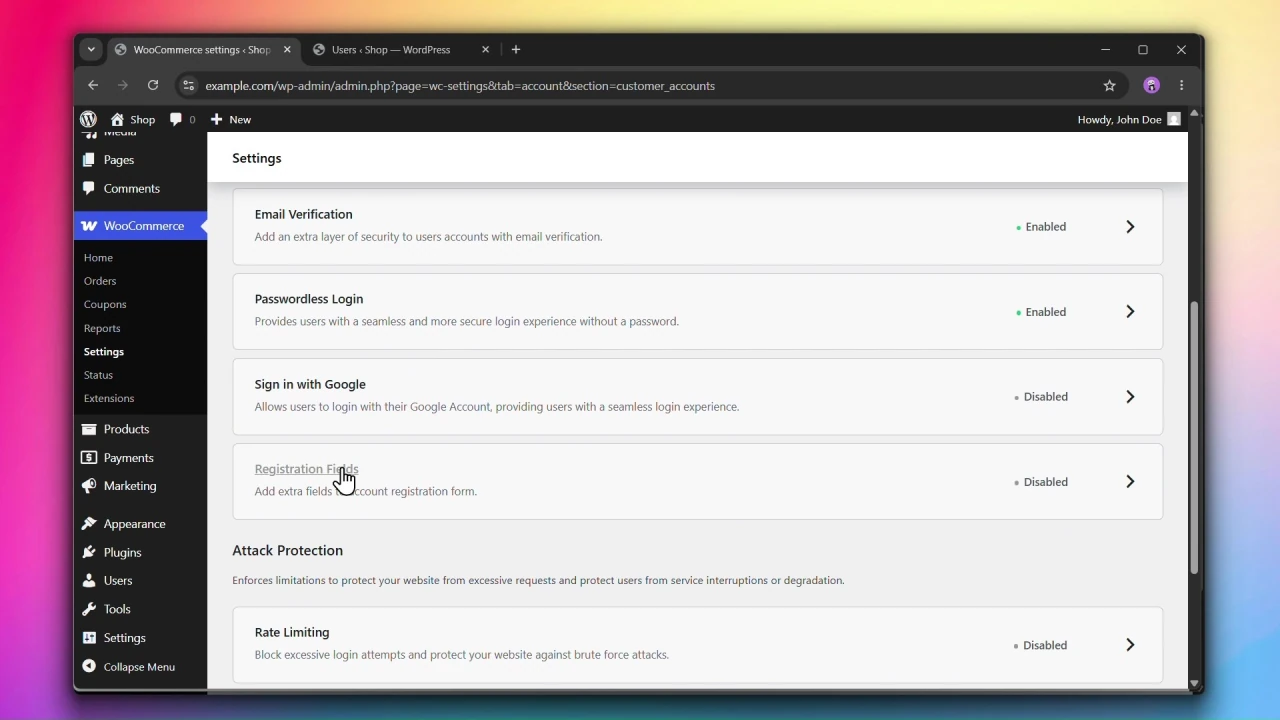
Steps
Step 1: Enable Registration Fields
Under Registration Fields, check Enable registration fields.
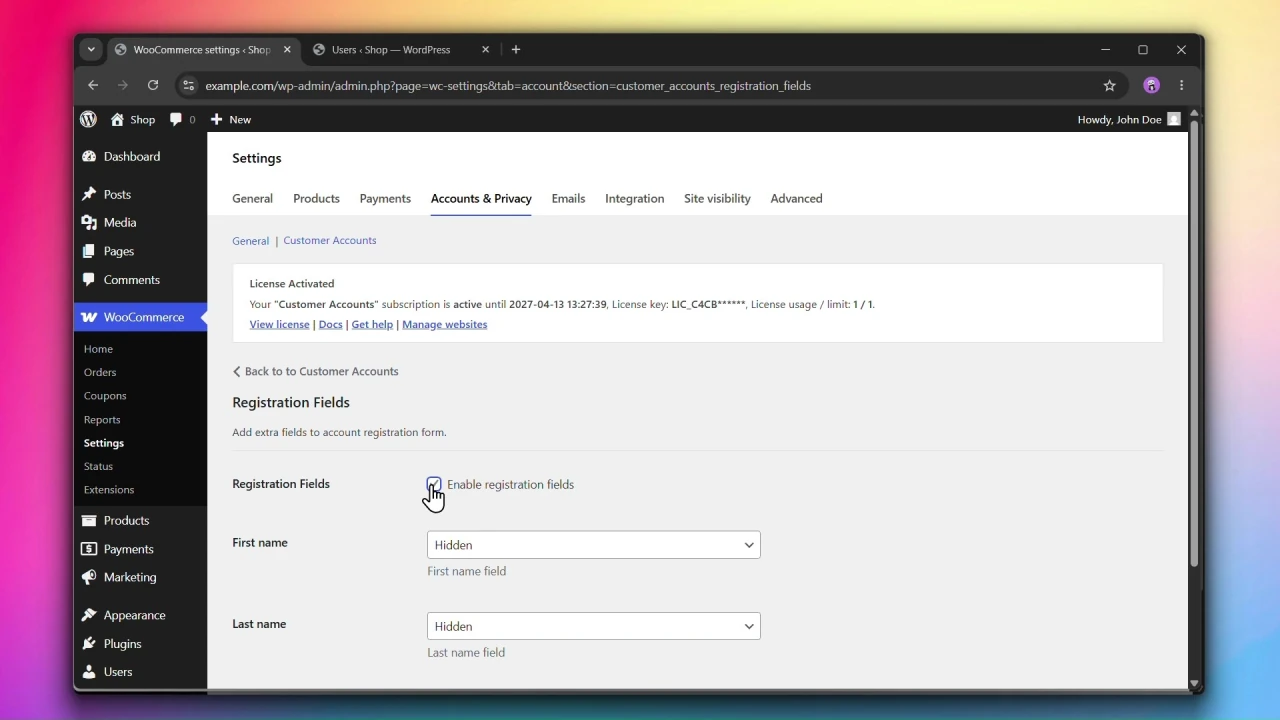
Step 2: Configure each field
For each field, choose one of the following states:
- Hidden — the field is not shown on the registration form.
- Optional — the field is shown but not required to complete registration.
- Required — the field must be filled in before the form can be submitted.

Available fields
- First name — hidden by default.
- Last name — hidden by default.
- Company name — hidden by default.
- Country / Region — hidden by default. Includes an additional option — Shop country/region — which automatically uses your WooCommerce store’s country instead of asking the customer to select one.
- Phone — hidden by default.
Step 3: Configure Address fields
The Address field enables street address, city, state, and postcode fields on the registration form. The address is saved as the customer’s billing address by default. You can also save the address as the customer’s shipping address.
Note: The save Address as the customer shipping address option only appears if shipping is enabled in your WooCommerce store.

The following address fields can also be individually configured:
- Street address — can be set to Default (follows the Address field setting), Optional, or Hidden.
- Apartment, suite, unit, etc. — can be set to Default (follows the Address field setting), Optional, or Hidden.
Step 4: Click Save changes
Click Save changes to apply your settings.