Enabling Role-Based Access
Restrict login to specific user roles on your WooCommerce store
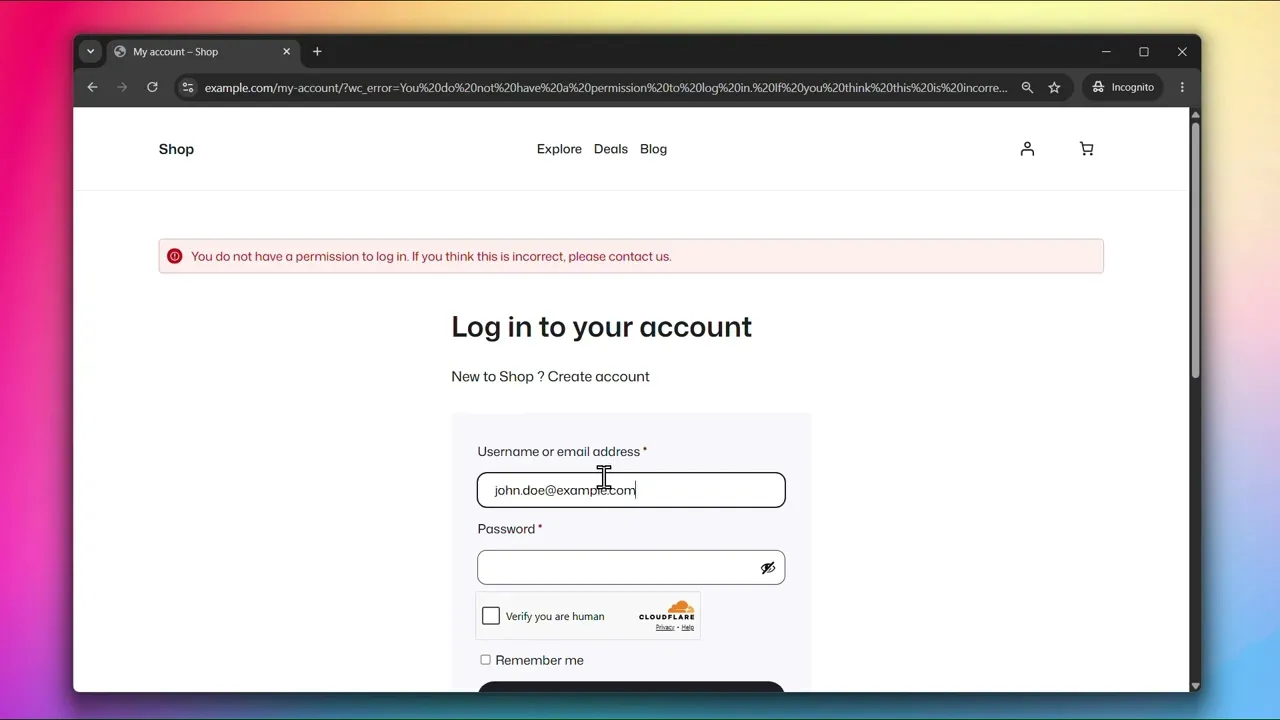
Role-Based Access allows you to restrict login to specific user roles. When enabled, only the roles you select will be able to log in to your site.
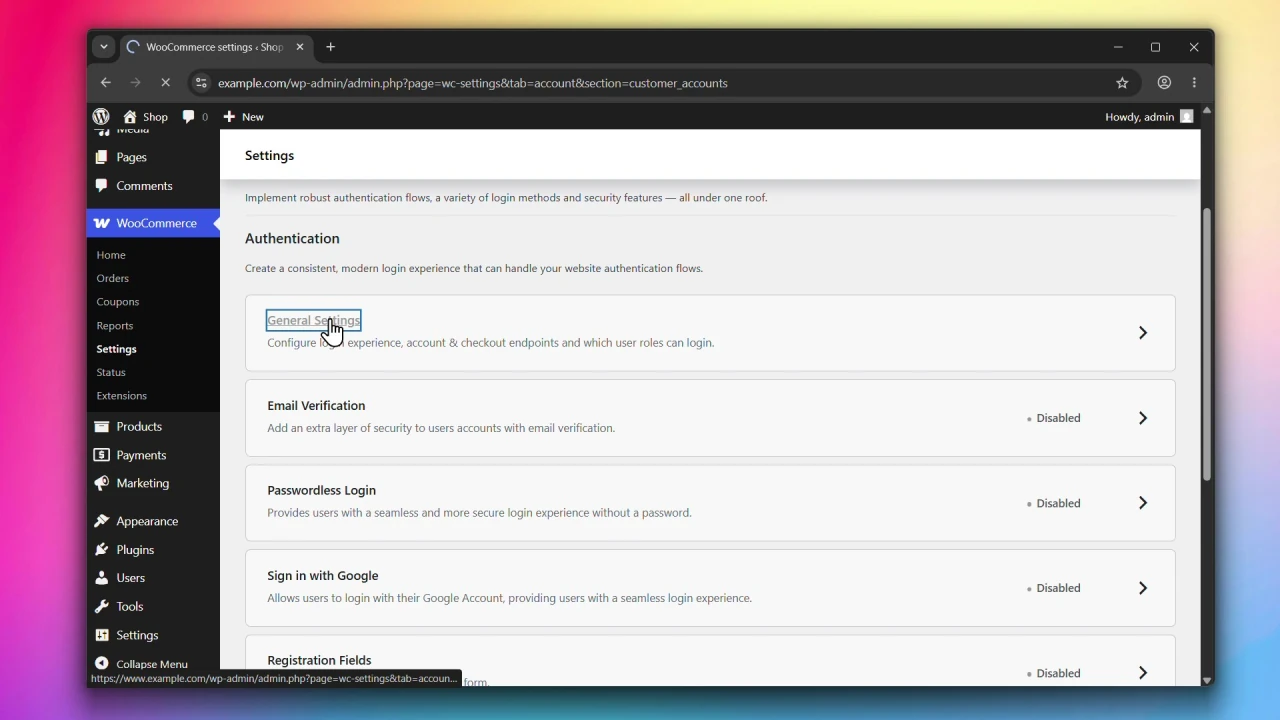
Accessing General Settings
Go to WooCommerce > Settings > Accounts & Privacy > Customer Accounts and click on General Settings.
Steps
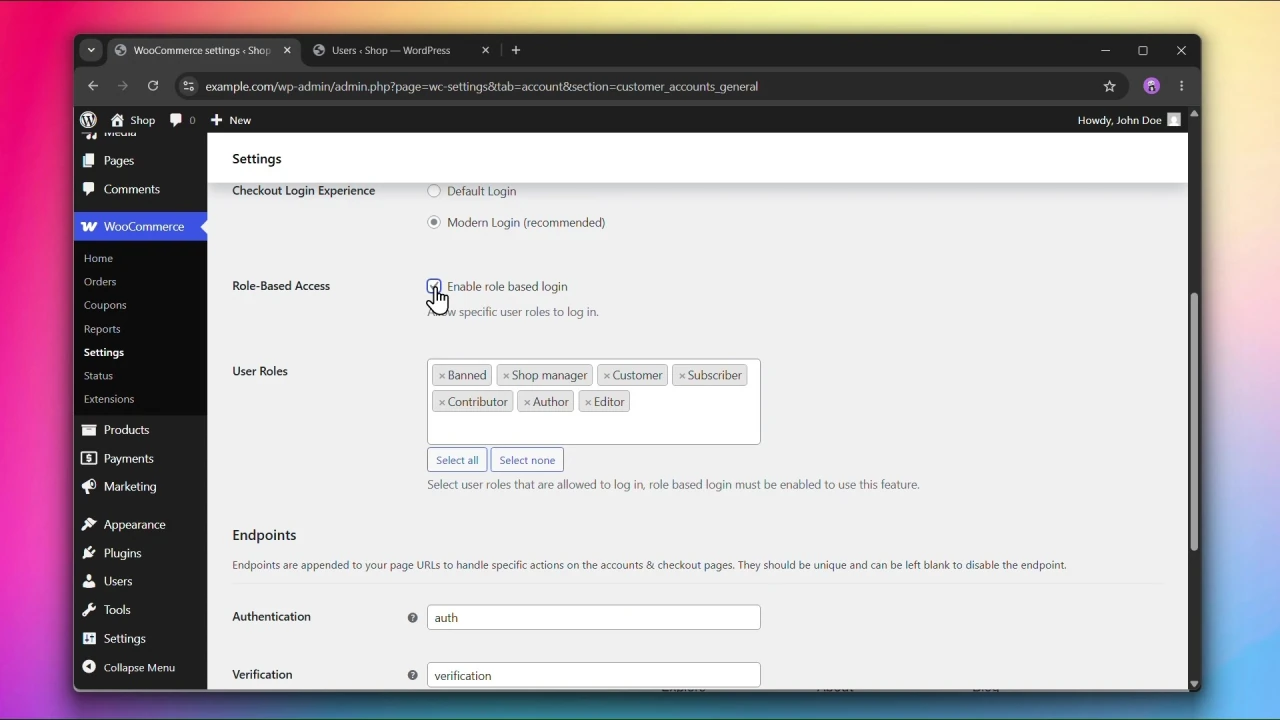
Step 1: Enable Role-Based Access
Under Role-Based Access, check Enable role based login.
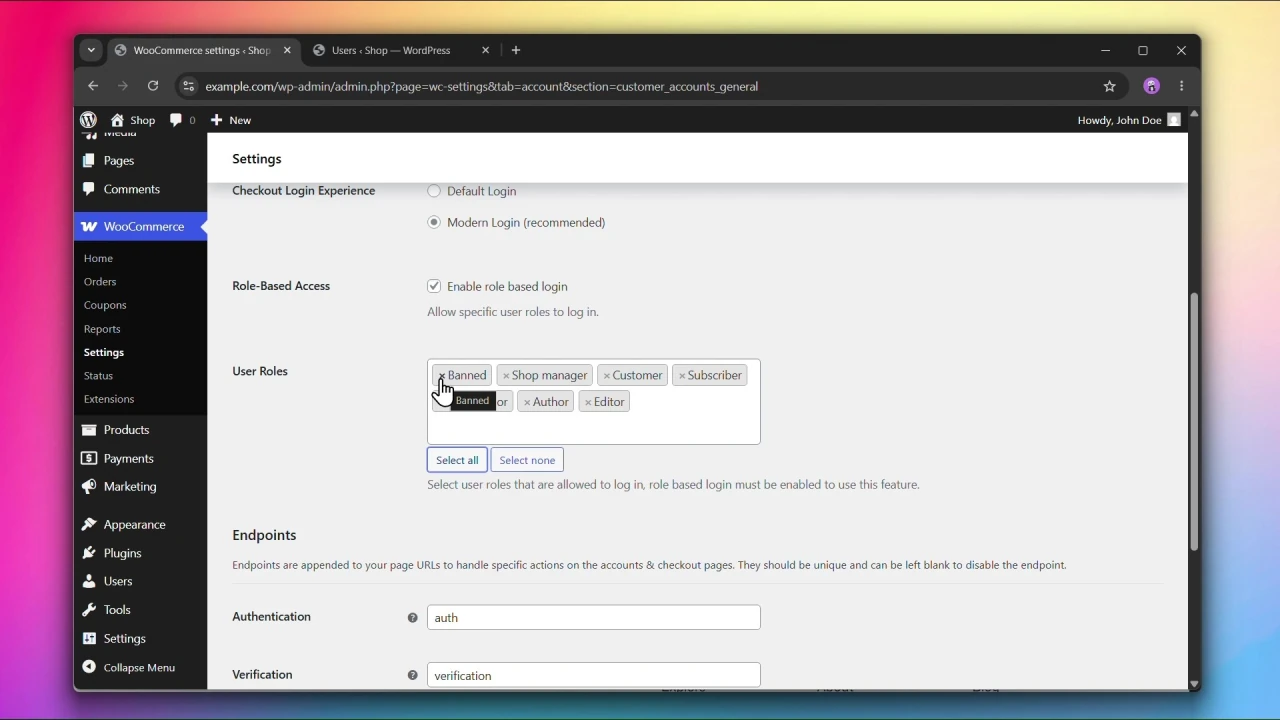
Step 2: Select User Roles
Under User Roles, select the roles that are allowed to log in. You can use Select all or Select none to quickly manage the selection.
Step 3: Click Save changes
Click Save changes to apply your settings.
The User Roles field has no effect unless Enable role based login is checked.
Requires: WooCommerce 7.8+, PHP 7.4+, and WordPress 6.2+.
Compatible up to: WooCommerce 11.1, PHP 8.3, and WordPress 7.1.
Compatible with WooCommerce HPOS.