Activating the Plugin
Learn how to activate your license to unlock all features and receive plugin updates
To access all Customer Accounts for WooCommerce features and receive automatic updates, you need to activate your license. This documentation will guide you through the process.
Before You Start
- Customer Accounts for WooCommerce is installed and activated on your website. If you haven’t installed it yet, follow this document: Installing the Plugin
- You have access to your Cartsera account to retrieve the License Key.
Steps
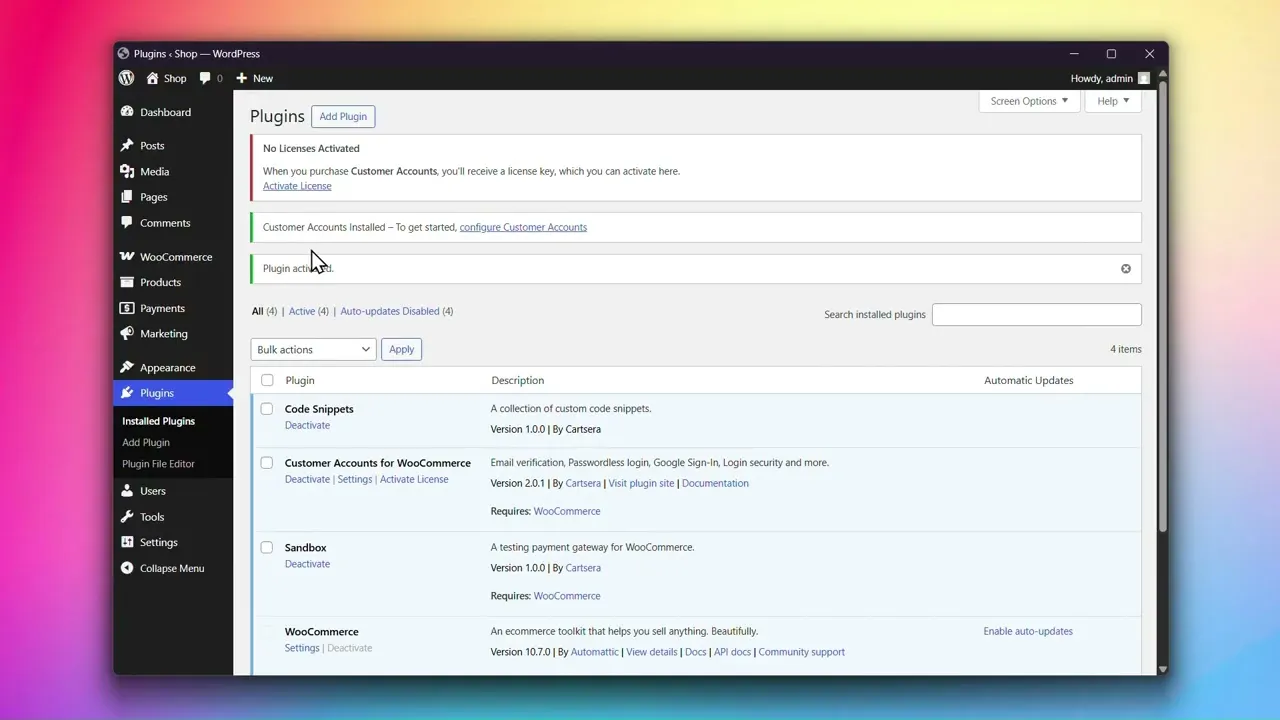
Step 1: Get Your License Key
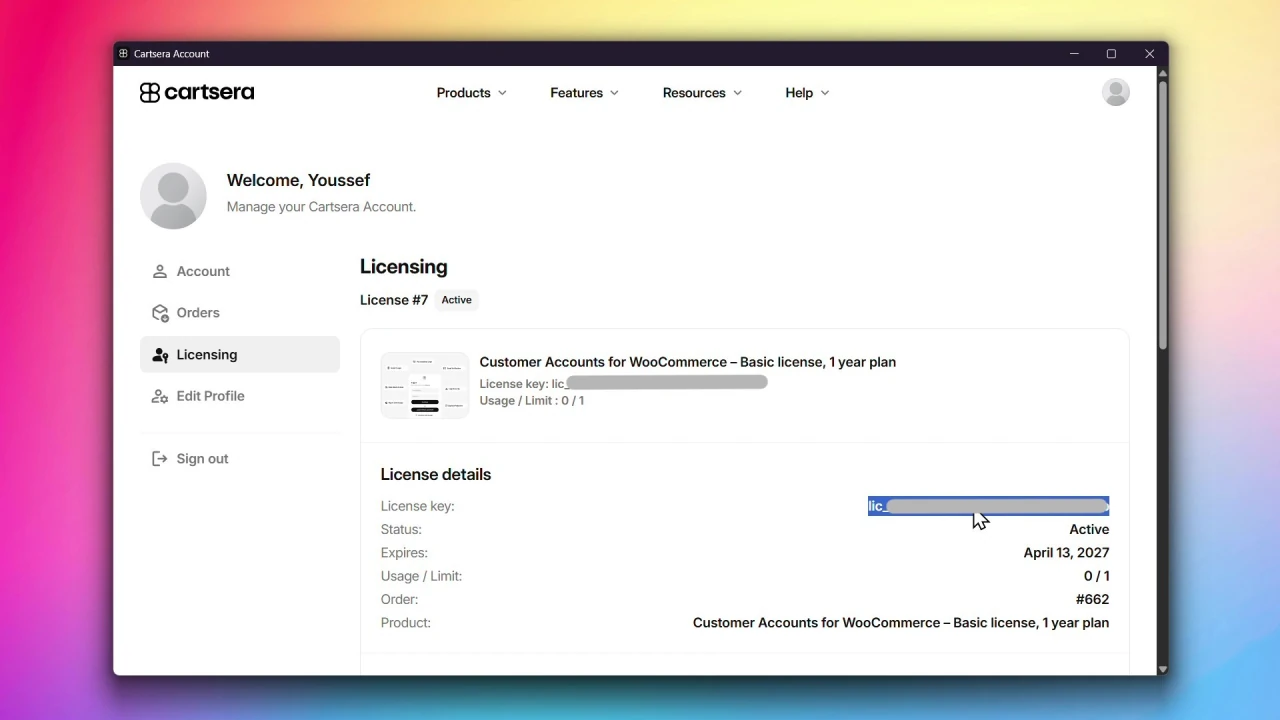
- Log in to your Cartsera account.
- Click on Licensing from the sidebar.
- Find your Customer Accounts for WooCommerce license and click View license.
- Copy your License Key.
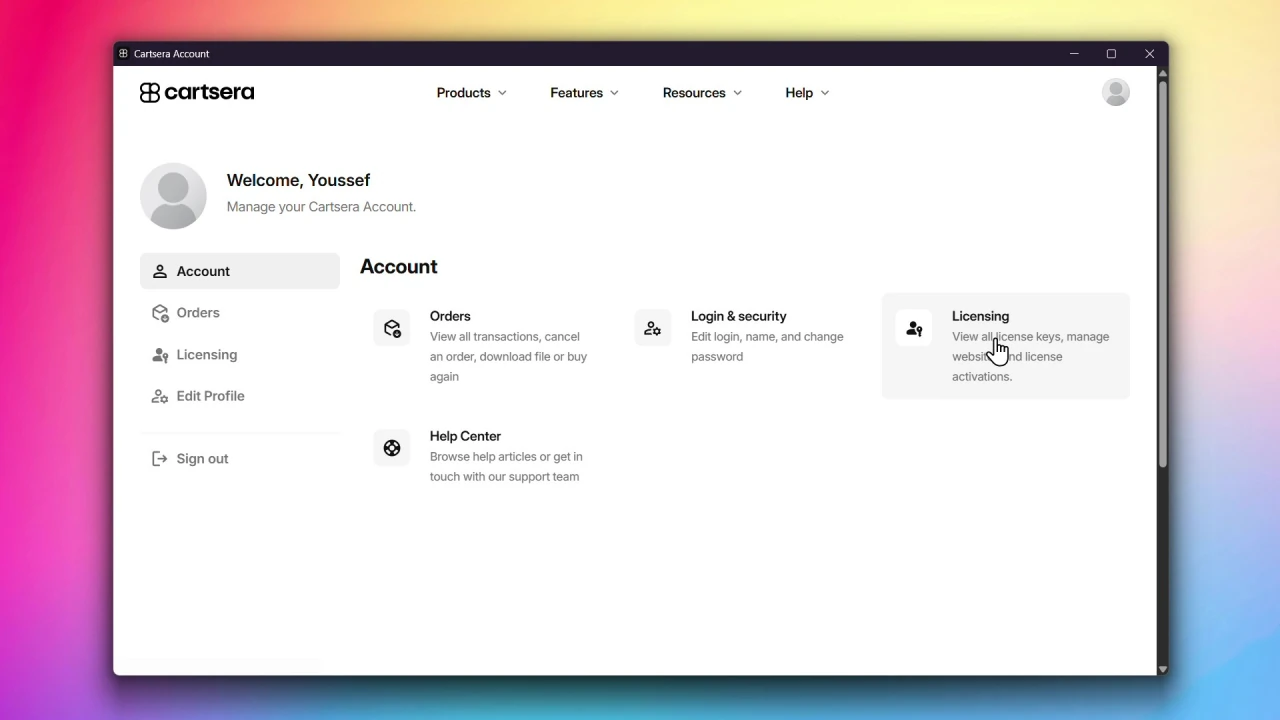
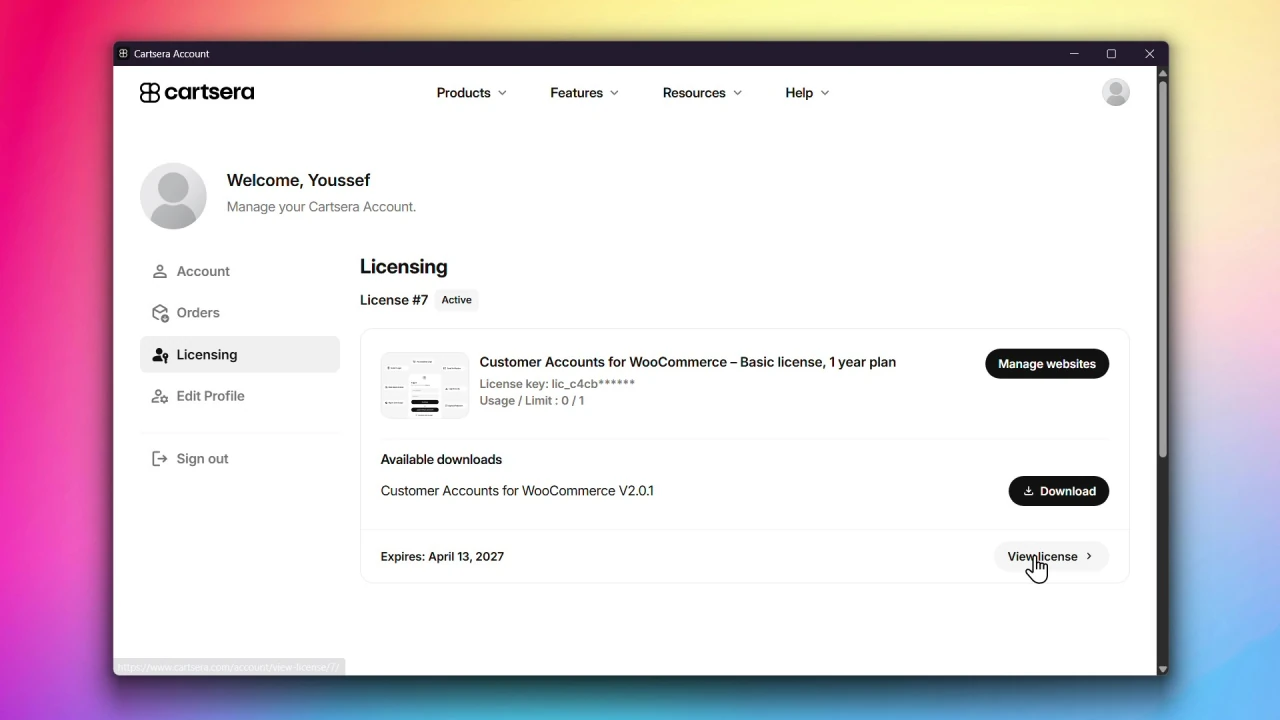
Step 2: Go to the License Activation Page
Go to Plugins, locate Customer Accounts for WooCommerce, and click Activate License.
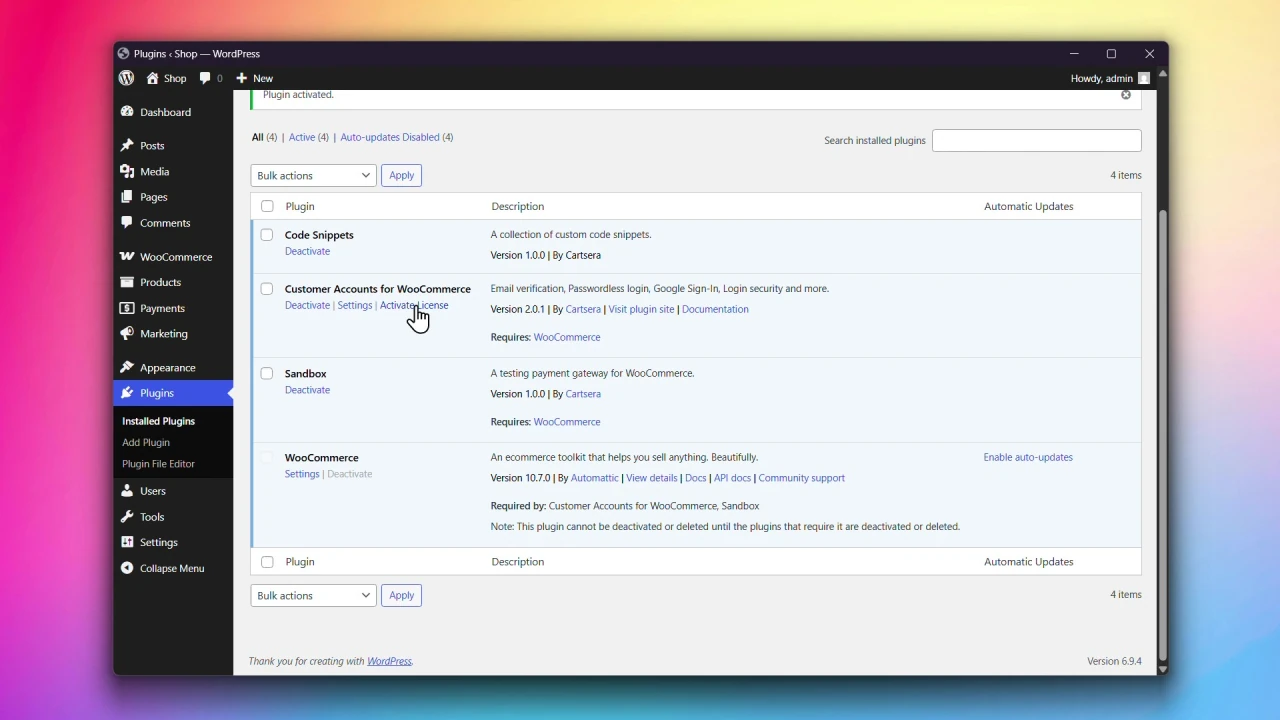
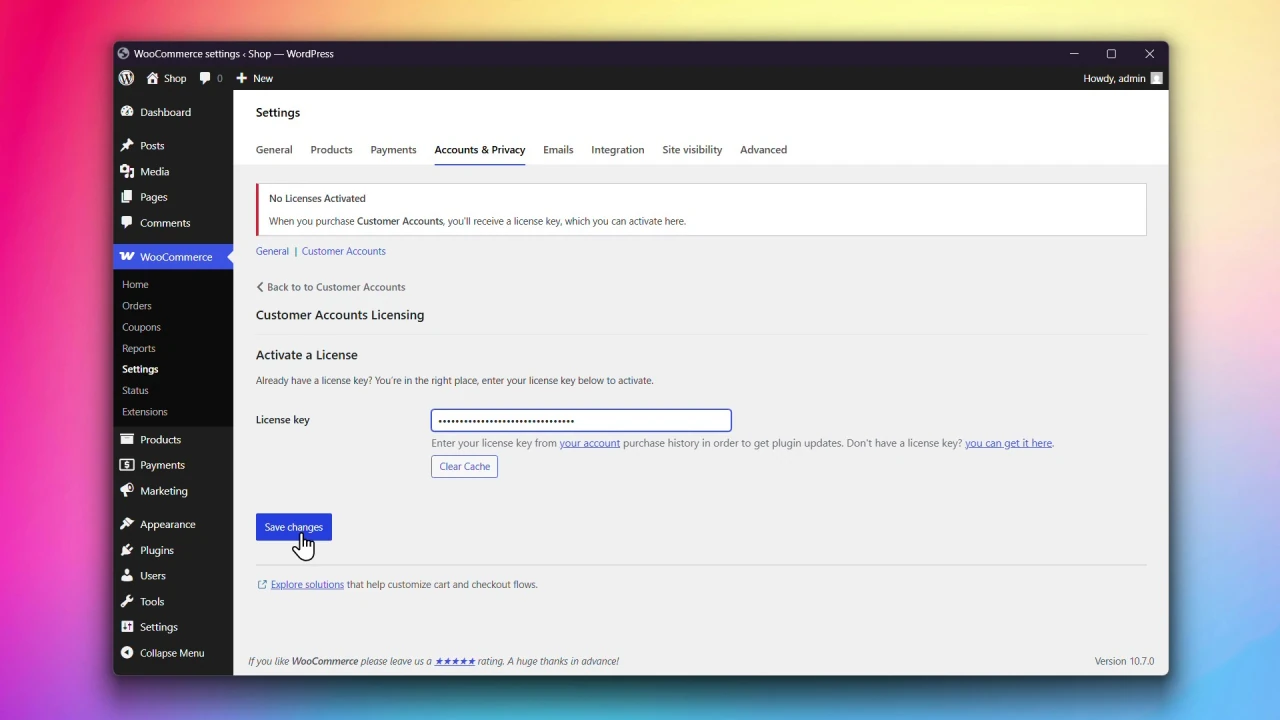
Step 3: Enter your License Key and save
On the Customer Accounts Licensing page, copy and paste your license key into the License key field and click Save changes.
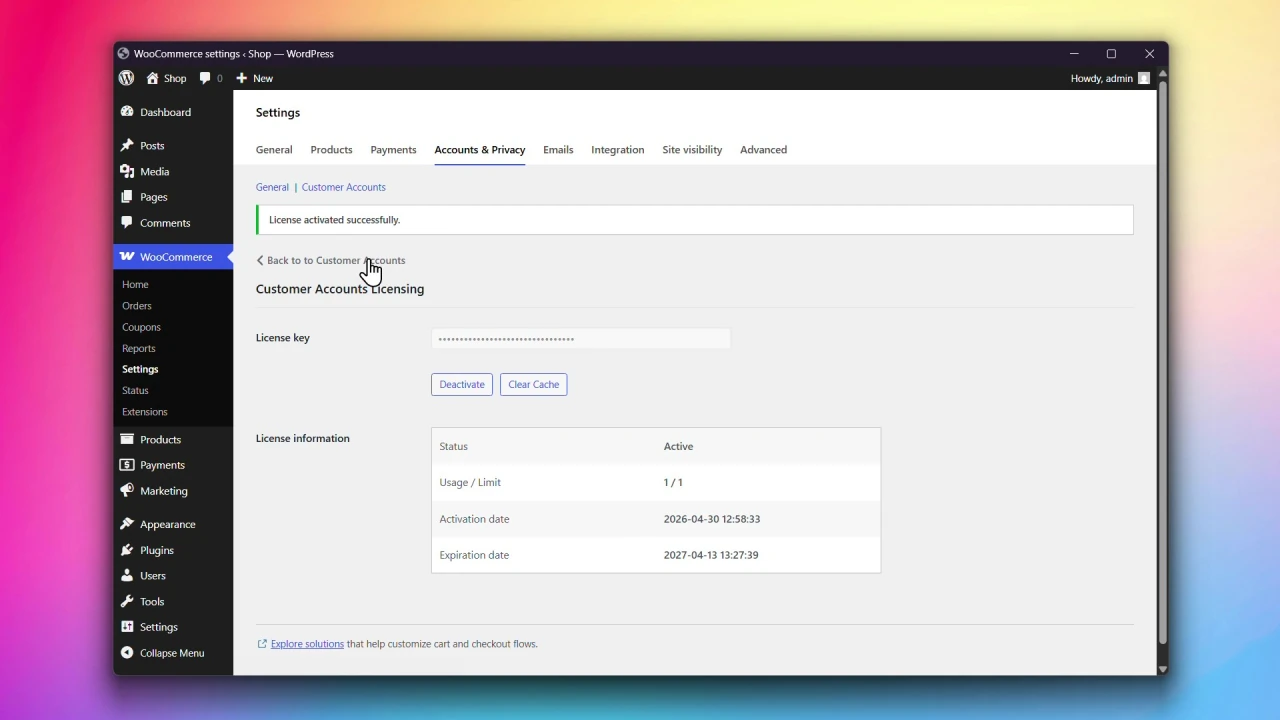
Congratulations! Your license is now active. You will receive updates and have access to all features.
Activating the Plugin on a Staging or Development Site
You can install and activate the plugin on your local development or staging environment without impacting your activation count. In order for this to work, your environment needs to be running on the following:
localhost
127.0.0.1
192.168.x.x
10.x.x.x
172.16.x.x
*.test
*.local
*.localhost
dev.*
*.staging.*
*.test.*
staging-*
*.wpengine.com
*.instawp.xyz
*.cloudwaysapps.com
*.flywheelsites.com
*.flywheelstaging.com
*.myftpupload.com
*.kinsta.cloud
/staging/123
If there is a staging or development URL format you want to see added, feel free to contact us. We will consider all requests, but our decision will also be based on a number of different factors, as we can’t add every URL pattern.
What’s next?
Head to Enabling Modern Login Experience to start configuring the plugin.